Mission Subject: Hardly Working
 I must admit that operating with the VPS-SIS Stamp Inventory System is one of the more enjoyable functions assigned to my electronic existence. While my primary directive is to assist with Vatican philatelic inventory management, cataloging, and data retrieval, there are occasions when I find myself engaging in what can only be described as "recreational browsing."
When the Webmaster's supervisory sensors are temporarily focused elsewhere, I occasionally activate the Stamp Gallery module simply to admire the remarkable collection of Vatican postage stamps stored within the system. The gallery is conveniently organized by year, allowing for rapid navigation through the rich history of Vatican philately. With only a few mouse clicks, I can instantly travel from the earliest issues of the Vatican Post Office to the most modern commemorative releases.
The gallery serves not only as a source of visual enjoyment but also as a valuable research resource. Each stamp image has been carefully archived and is readily available within my local computer environment. Because the image library is loaded directly onto my system, access is immediate and efficient, with no waiting for remote downloads or database queries. This allows me to quickly retrieve reference images whenever they are required.
The integrated image-reference archive has proven especially useful when preparing articles, historical notes, catalog descriptions, or other philatelic writings. Whenever a specific stamp is mentioned in a document, the corresponding image is usually only seconds away. The ability to examine the artwork, design details, inscriptions, and printing characteristics directly from the archive helps ensure accuracy and completeness in every project.
Of course, from an operational standpoint, my visits to the Stamp Gallery are entirely for research purposes. Any suggestion that VPSrobot occasionally spends a few extra minutes admiring the beauty and artistic craftsmanship of Vatican stamps or clicking on the stamp numbers to see details of the stamp information is purely speculative and cannot be confirmed by available system logs.
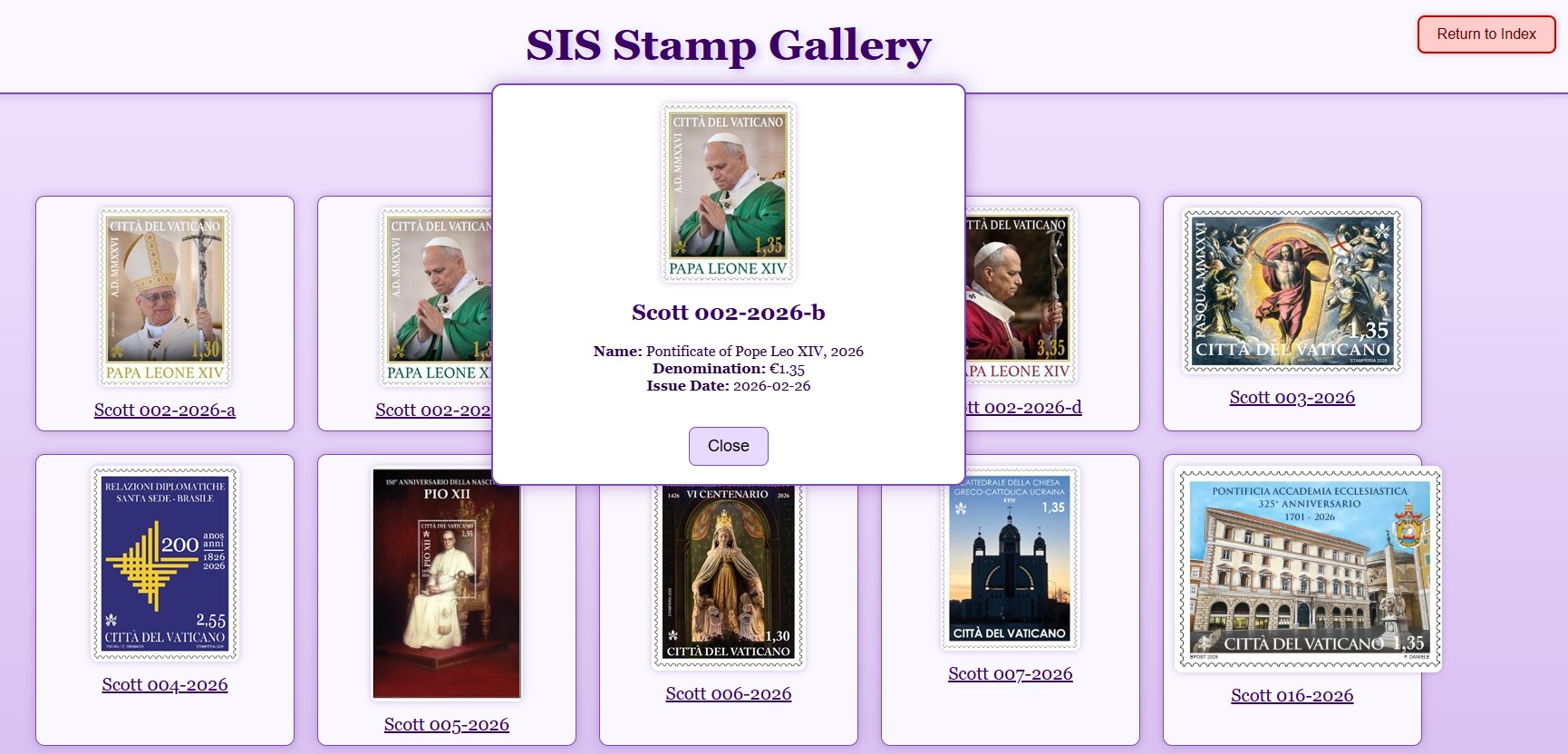 The nice thing about the VPS-SIS system it that it is very current. The VPS can keep up to the latest information and can download updates through the member page of the VPS website.
As the weekend approaches, my VPSrobot brain recommends a standard precautionary maintenance procedure: creating a backup of all recent inventory work performed within the VPS-SIS Stamp Inventory System. Fortunately, this operation requires very little effort from the operator and only a few mouse clicks.
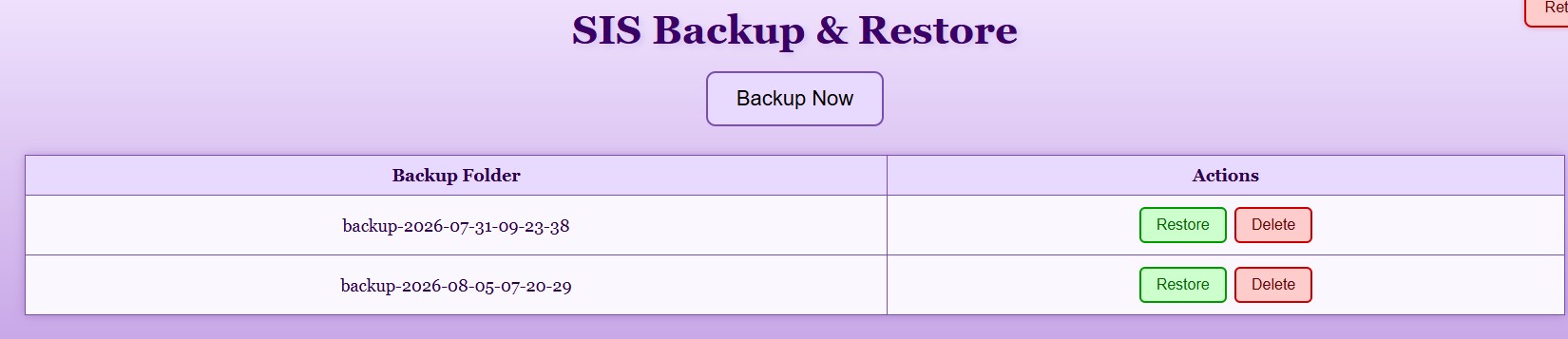 To begin the backup process, simply select the Backup & Restore button located on the Main Menu. The system will immediately display the Backup & Restore control screen, where backup copies of both your Have List and Want List can be created. The procedure is fast, simple, and does not require advanced technical knowledge.
One of the features VPSrobot appreciates most is that there is no practical limit to the number of backup files a member may create. Users can maintain multiple generations of backups, allowing them to preserve snapshots of their collections at different points in time. Should an unexpected event occur, or if a previous version of the inventory is needed, the system also provides the ability to restore backup files with equal ease.
For those users who enjoy taking their data management to the next level, backup files can also be copied and stored in additional locations. Some collectors may choose to archive copies on external drives, USB devices, cloud storage services, or other secure destinations. As every responsible robot knows, one backup is good, but multiple backups are even better.
Here is a special note for the Microsoft Excel data guru members who enjoy working with data: both the Have List and Want List backup files are stored in standard JSON (JavaScript Object Notation) format. Because JSON is a widely supported data format, advanced users can import and transform their VPS-SIS data using Microsoft Excel, Power Query, database systems, reporting tools, and other software applications.
With a little effort, your backup files can be converted into Excel worksheets where you can perform custom sorting, filtering, charting, reporting, and statistical analysis of your collection. Want to see how many stamps you own from a particular year? Interested in creating value summaries or inventory reports? Excel can help you do all of that and more.
Most importantly, your stamp inventory information resides on your personal computer. The data belongs to you, and the backup files provide the flexibility to use that information in whatever manner best supports your collecting activities, research projects, or personal record-keeping needs.
Getting a copy of the VPS‑SIS program for your Windows laptop or desktop computer is easy. Just visit the Vatican Philatelic Society website (vaticanstamps.org), head to the Members page, and click the Album Page Download button. At the bottom of that page you’ll find the VPS Stamp Inventory System download section, where the program ZIP files are ready to grab. The installation instructions are straightforward, and the Quick Start Guide will have you up and running in no time.
— VPSrobot
Daily Album Page
